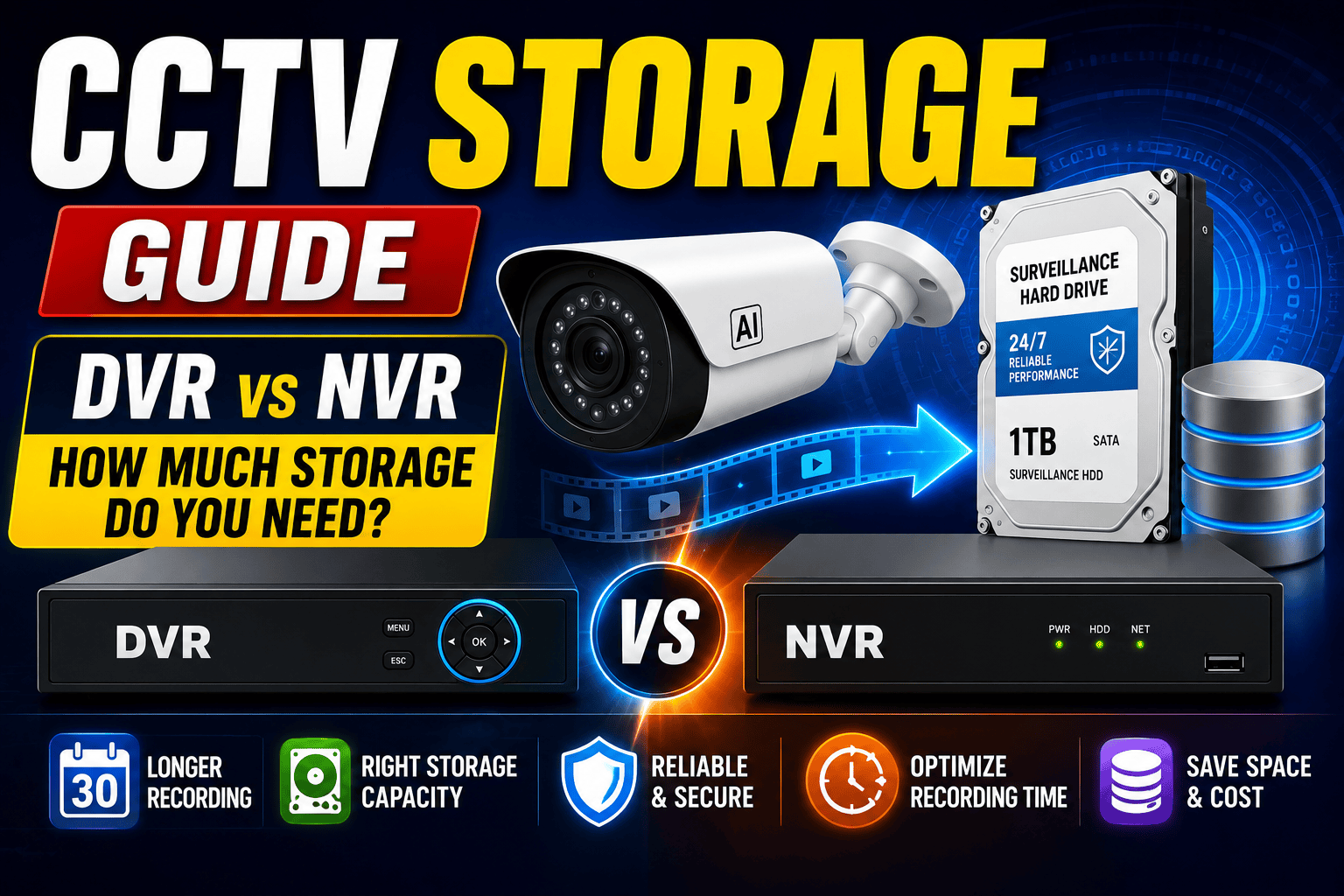
One of the most overlooked aspects of a CCTV surveillance system is storage capacity. Many people invest in high-quality security cameras but fail to calculate how much storage they actually need. As a result, important footage may be overwritten before it can be reviewed, reducing the effectiveness of the entire security system. Choosing the right storage solution is just as important as selecting the right CCTV camera.
Whether you are installing CCTV cameras in a home, office, retail store, warehouse, hospital, school, hotel, or industrial facility, understanding DVR and NVR storage requirements helps ensure continuous recording without interruptions. This guide explains everything you need to know about CCTV storage, recording time, hard drives, and selecting the right capacity for your surveillance needs.
Why CCTV Storage is Important
A CCTV camera continuously captures video footage, but without sufficient storage, those recordings cannot be retained for future use. Businesses often require footage for incident investigations, insurance claims, employee monitoring, or legal purposes. Adequate storage ensures that important recordings remain available whenever they are needed.
Understanding DVR and NVR Storage
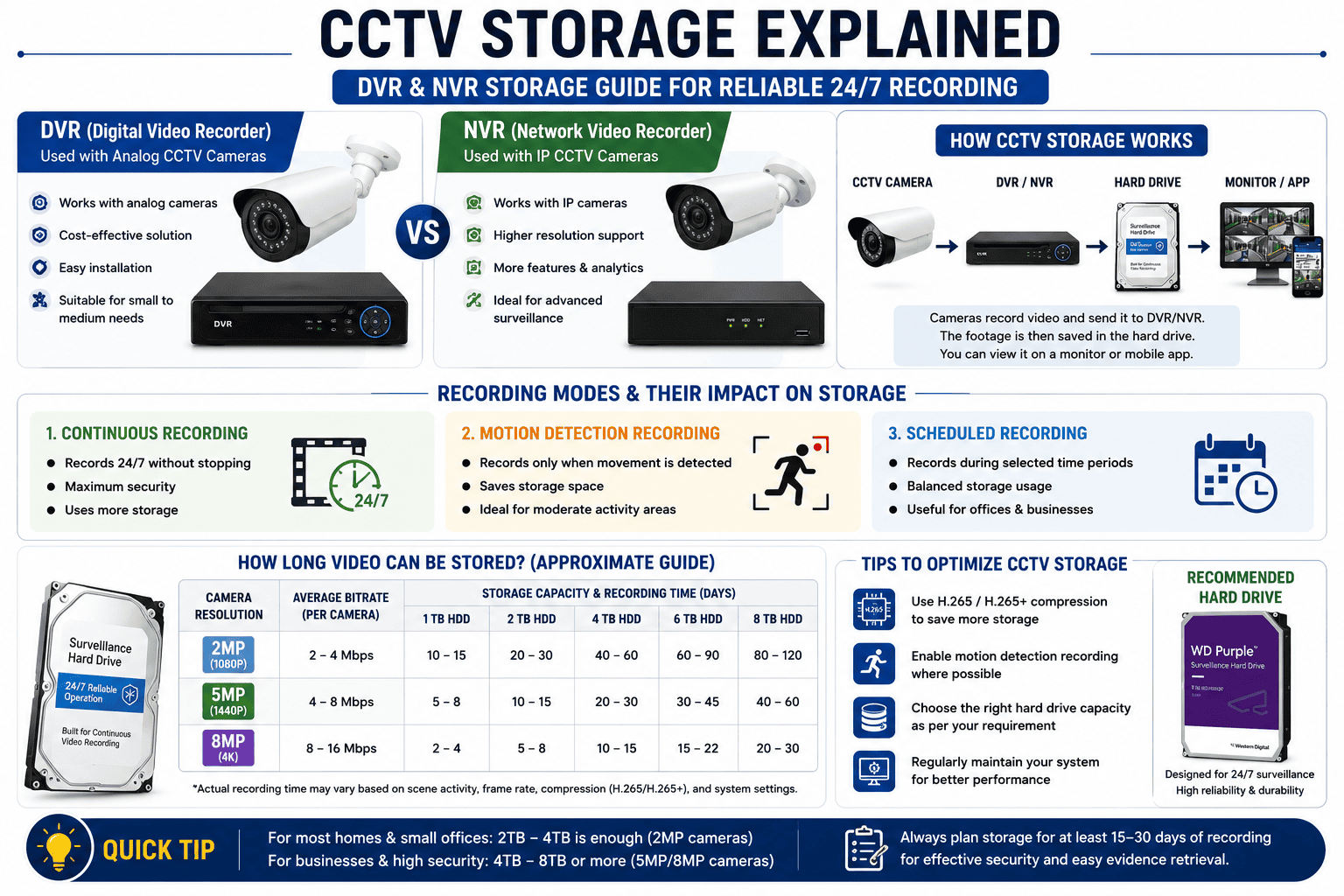
Most CCTV systems store recordings using either a Digital Video Recorder (DVR) or a Network Video Recorder (NVR). DVR systems are commonly used with analog cameras, while NVR systems work with IP cameras. Both devices use surveillance-grade hard drives specifically designed for continuous 24/7 recording. Choosing the correct recorder and storage capacity is essential for smooth and reliable surveillance.
How Camera Resolution Affects Storage
The higher the camera resolution, the more storage space is required. A 2MP camera consumes less storage than a 5MP or 8MP camera because higher-resolution video files contain more image detail. Businesses planning to install multiple high-resolution cameras should always calculate storage requirements before purchasing a surveillance system.
Recording Mode Makes a Difference
Most CCTV systems offer different recording options such as continuous recording, motion detection recording, and scheduled recording. Continuous recording provides maximum security but consumes the most storage. Motion-based recording saves storage by recording only when movement is detected. Scheduled recording offers a balance between security and storage efficiency by recording during selected hours.
Choosing the Right CCTV Hard Drive
Not every hard drive is suitable for CCTV systems. Standard desktop hard drives are designed for occasional computer use, while surveillance hard drives are built for continuous recording around the clock. CCTV hard drives offer better durability, improved reliability, and longer operational life under heavy workloads. Investing in surveillance-grade storage helps prevent recording failures and data loss.
How Long Should CCTV Footage Be Stored?
The required retention period depends on the type of property and business operations. Homes and small offices often store recordings for 15 to 30 days, while commercial buildings, hospitals, banks, schools, and industries may require longer storage periods. Organizations should also consider any legal or industry-specific record retention requirements that apply to them.
Tips to Optimize CCTV Storage
Storage efficiency can be improved by using video compression technologies such as H.265 or H.265+, enabling motion detection recording, reducing unnecessary frame rates where appropriate, and regularly maintaining recording equipment. These optimizations help extend storage capacity without significantly affecting video quality.
Cloud Storage vs Local Storage
Some modern CCTV systems support cloud recording alongside traditional local storage. Local storage provides faster access and lower recurring costs, while cloud storage offers remote backup and additional protection if on-site equipment is damaged or stolen. Many businesses choose a hybrid approach that combines both local and cloud storage for enhanced reliability.
Choosing the Right Storage Solution
The ideal storage capacity depends on several factors, including the number of cameras, camera resolution, recording mode, frame rate, and desired retention period. Consulting a professional CCTV installer ensures your surveillance system is designed with enough storage to meet both current and future security requirements.
Conclusion
A CCTV system is only as reliable as its storage solution. Selecting the right DVR, NVR, surveillance hard drive, and recording settings ensures that valuable footage remains available whenever it is needed. Whether you are securing a home or managing a large commercial facility, proper storage planning improves system reliability, reduces maintenance issues, and provides complete peace of mind.
Frequently Asked Questions (FAQs)
1. How much storage does a CCTV system need?
The required storage depends on the number of cameras, recording resolution, recording mode, and how long footage needs to be retained.
2. Which is better for CCTV: DVR or NVR?
DVR is ideal for analog CCTV systems, while NVR is recommended for IP camera systems that require higher image quality and advanced features.
3. Can I use a normal computer hard drive in a DVR?
It is not recommended. Surveillance-grade hard drives are specifically designed for continuous 24/7 recording and offer better reliability.
4. How long should CCTV footage be stored?
Most businesses retain recordings for 15 to 30 days, while high-security facilities may require longer retention depending on operational or legal requirements.
5. Does higher camera resolution require more storage?
Yes. Higher-resolution cameras generate larger video files and therefore require greater storage capacity.